How to Set Up IPTV on a Samsung Smart TV
Install Hot Player or IBO Player Pro from the Samsung Apps store, then add your ZynTV playlist on the player's website.
Updated
Quick answer: ZynTV on Samsung TV
Install Hot Player or IBO Player Pro from Apps on your Samsung TV and open it: Hot Player shows a MAC address, IBO Player Pro a MAC address and a device key. On your phone or computer, add your ZynTV M3U URL at hotplayer.app/upload or iboplayer.com/device/login, then restart the app on your TV.
Before you start
- A Samsung smart TV
- Your M3U URL, from your welcome email or your ZynTV dashboard
- A phone or computer, to add the playlist on the player's website
- A steady internet connection: 15 Mbps for HD, 25 Mbps for 4K
Apps for Samsung TV
| App | How to install it | How to add your playlist |
|---|---|---|
| Hot Player | Samsung Apps | With the MAC address it shows, on hotplayer.app/upload |
| IBO Player Pro | Samsung Apps | With the MAC address and device key it shows, on iboplayer.com/device/login |
Step by step
Step 1: Install Hot Player or IBO Player Pro
- Press Home on your remote and open Apps.
- Search for Hot Player or IBO Player Pro and select Install.
Step 2a: Add your playlist in Hot Player
- Open Hot Player on your TV and note the MAC address it shows.
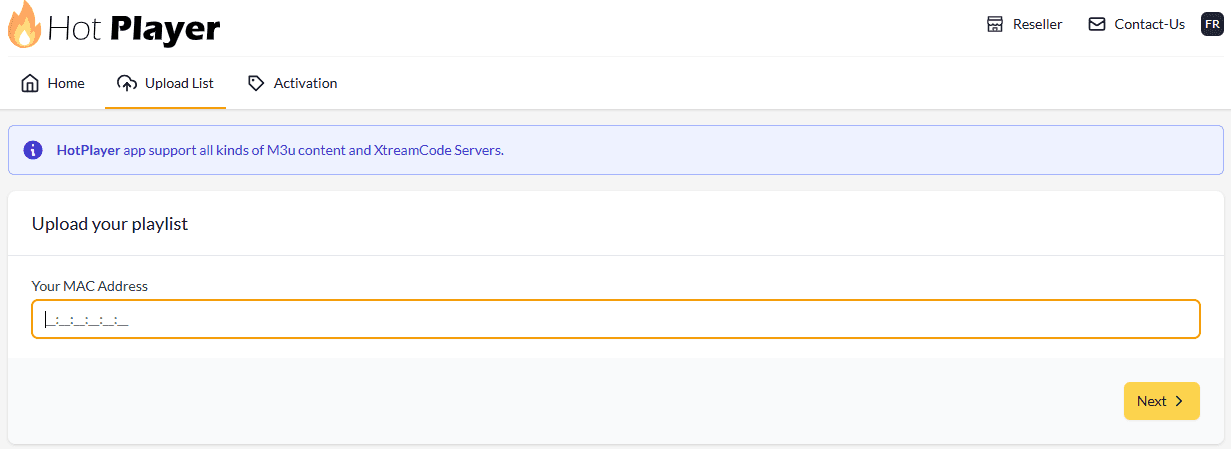
- On your phone or computer, go to hotplayer.app/upload, type that MAC address and select Next.
- Leave Source on Link and paste your M3U URL. To use Xtream Code instead, enter the Username, Password and URL + PORT from your welcome email.
- In Playlist name, type ZynTV.
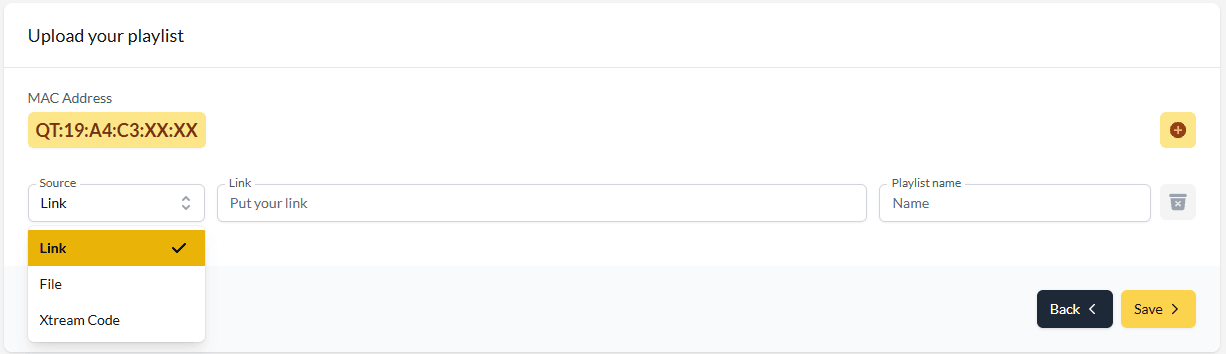
- Select Save, then restart Hot Player on your TV.
Step 2b: Or add it in IBO Player Pro
- Open IBO Player Pro on your TV and note the MAC address and the device key it shows.
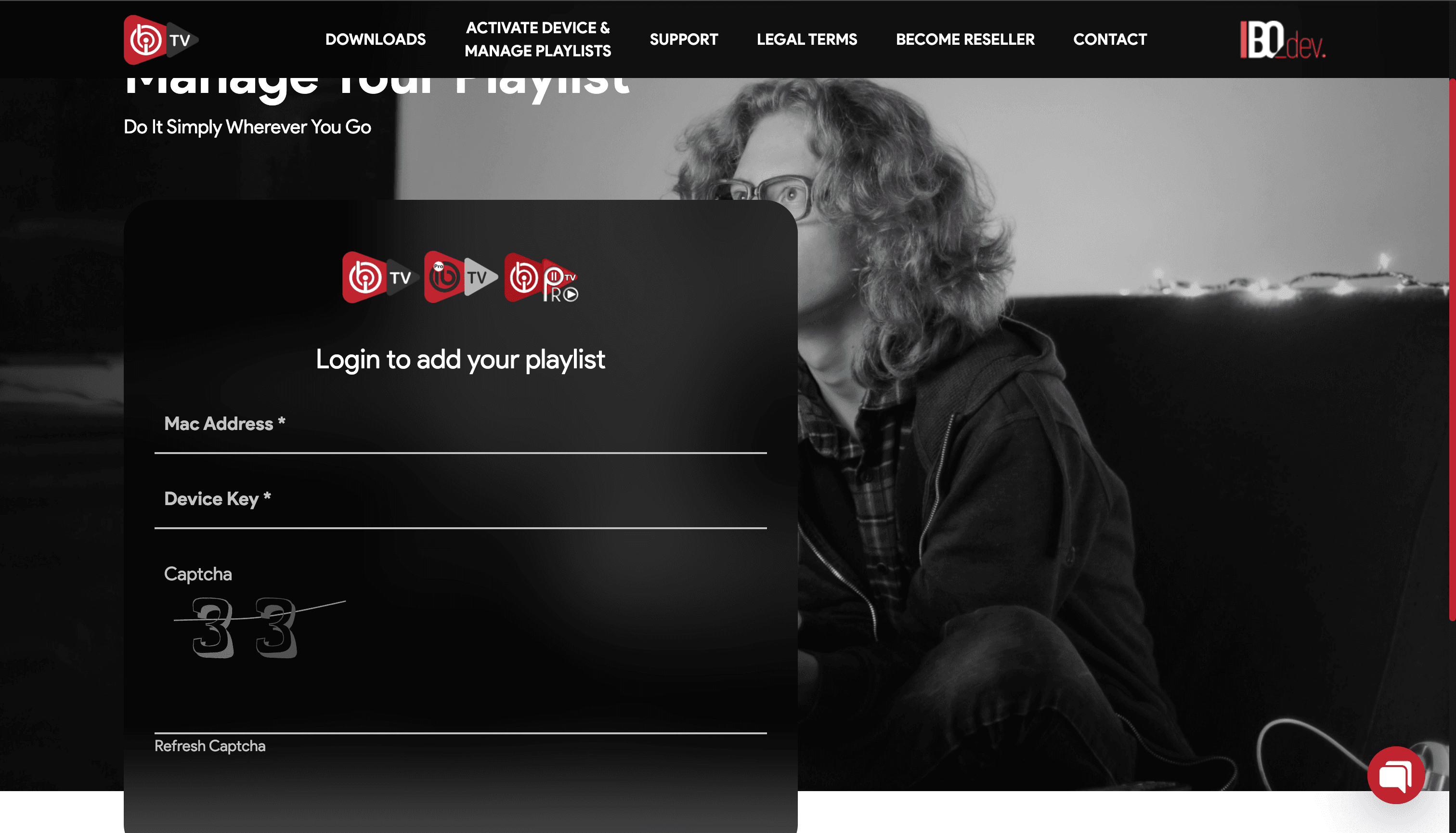
- On your phone or computer, go to iboplayer.com/device/login, log in with the MAC address and the device key, and fill in the captcha.
- Select Add playlist. In Playlist name, type ZynTV, and in Playlist URL, paste your M3U URL.
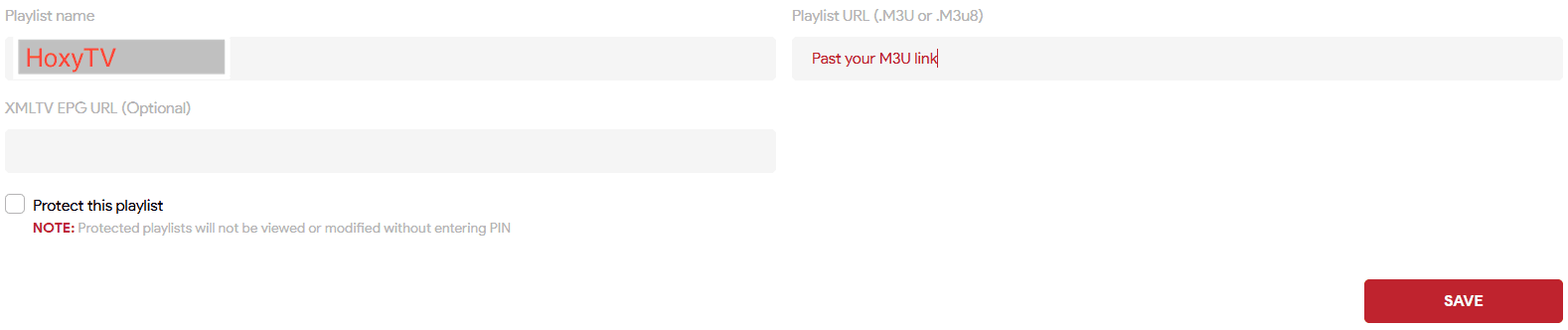
- Select Save, then restart IBO Player Pro on your TV.
Questions about Samsung TV
Hot Player or IBO Player Pro is not in my Samsung Apps. What can I do?
Apps differ by country and TV model. Update your TV (Settings > Support > Software Update) and search again, or try the other app.
Can I install APK files on a Samsung TV?
No. Samsung TVs run Tizen, not Android, so only apps from Samsung Apps can be installed.
The app says my playlist is empty or will not load. What should I check?
Check that you pasted the whole M3U URL, with nothing cut off at either end, and that you used the MAC address (and for IBO Player Pro, the device key) your screen shows. Then restart the app. If it still will not load, contact support.
Ready to watch 30,000+ live channels?
Your login details arrive by email as soon as you pay, with 100,000+ films and series and 24/7 help with setup.