How to Set Up IPTV on iPhone and iPad
Set up ZynTV on an iPhone or iPad with UHF, IPTVX or IPTV Smarters from the App Store, using your M3U URL or your Xtream details.
Updated
Quick answer: ZynTV on iPhone and iPad
Get UHF, IPTVX or IPTV Smarters from the App Store, tap Add playlist, choose M3U URL and paste your ZynTV M3U URL (or choose Xtream Codes API and enter your Username, Password and URL + PORT), then tap Save.
Before you start
- An iPhone or iPad with iOS 12 or newer
- Your M3U URL, or your Username, Password and URL + PORT from your welcome email
- A steady internet connection
Apps for iPhone and iPad
Step by step
Step 1: Get an IPTV app from the App Store
- On your iPhone or iPad, open the App Store page of UHF, IPTVX or IPTV Smarters.
- Tap Get and wait for the app to install.
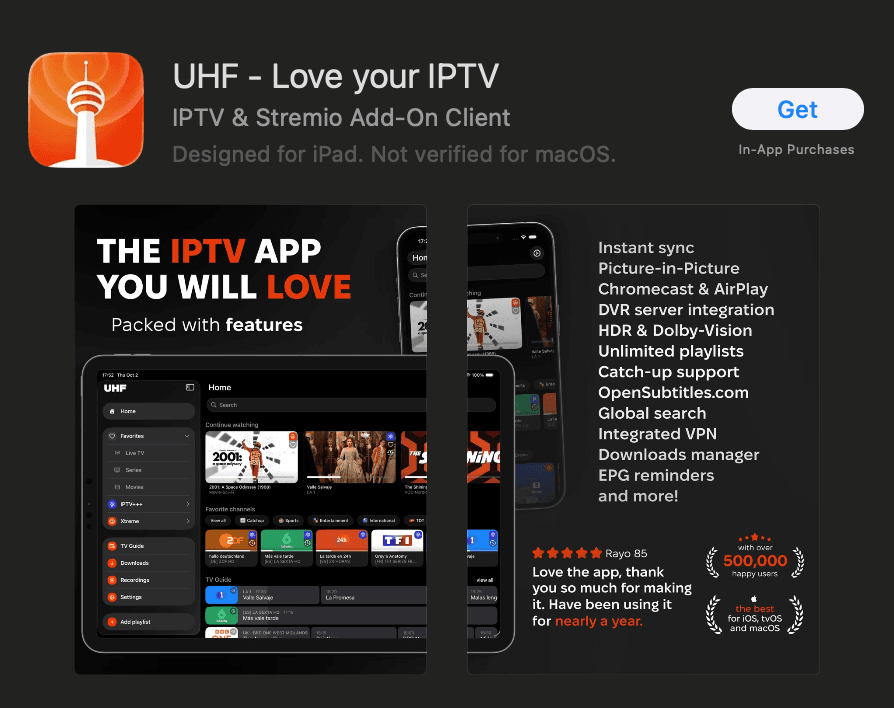
Step 2: Connect the app to ZynTV
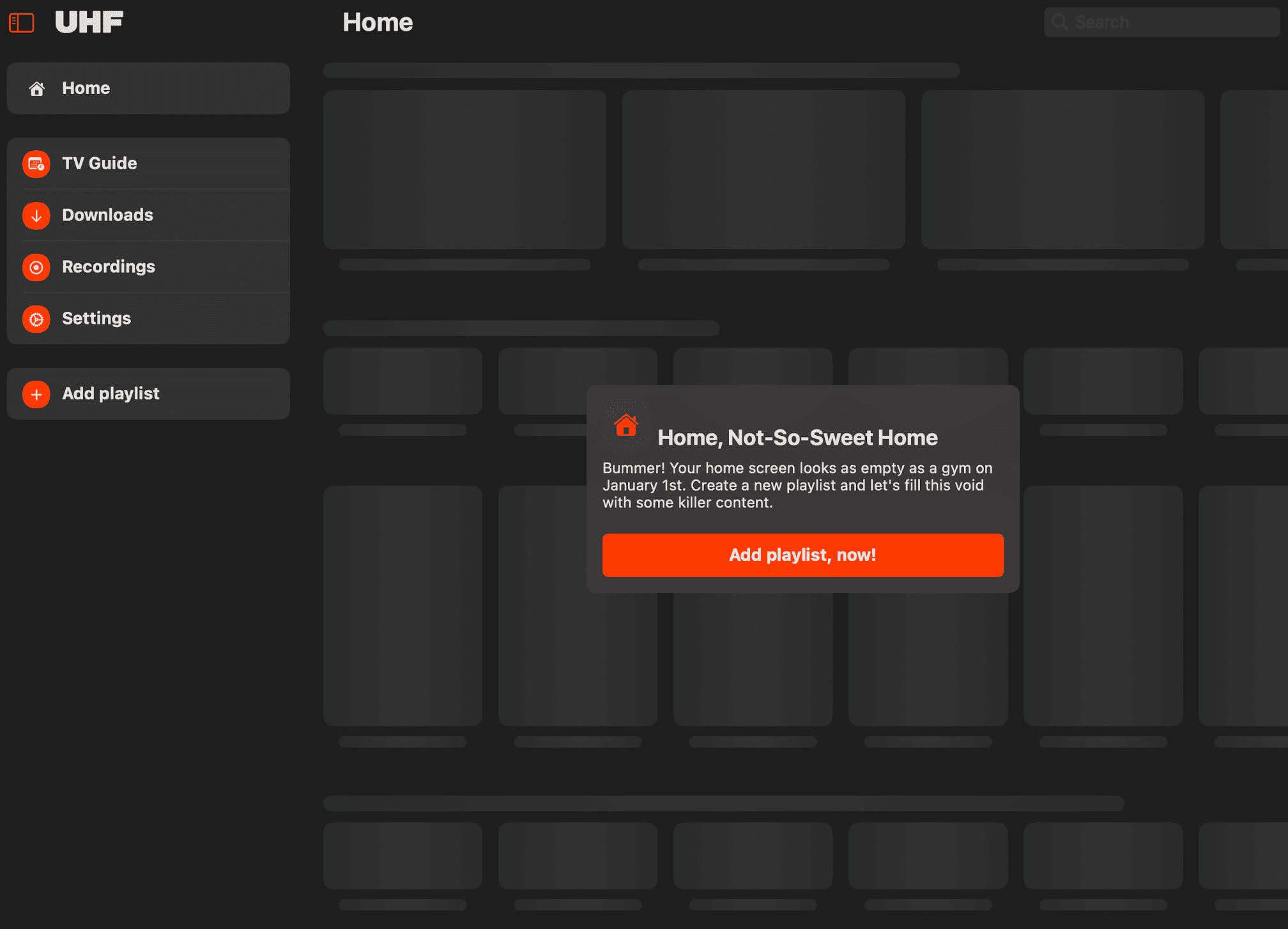
- Open the app and tap Add playlist.
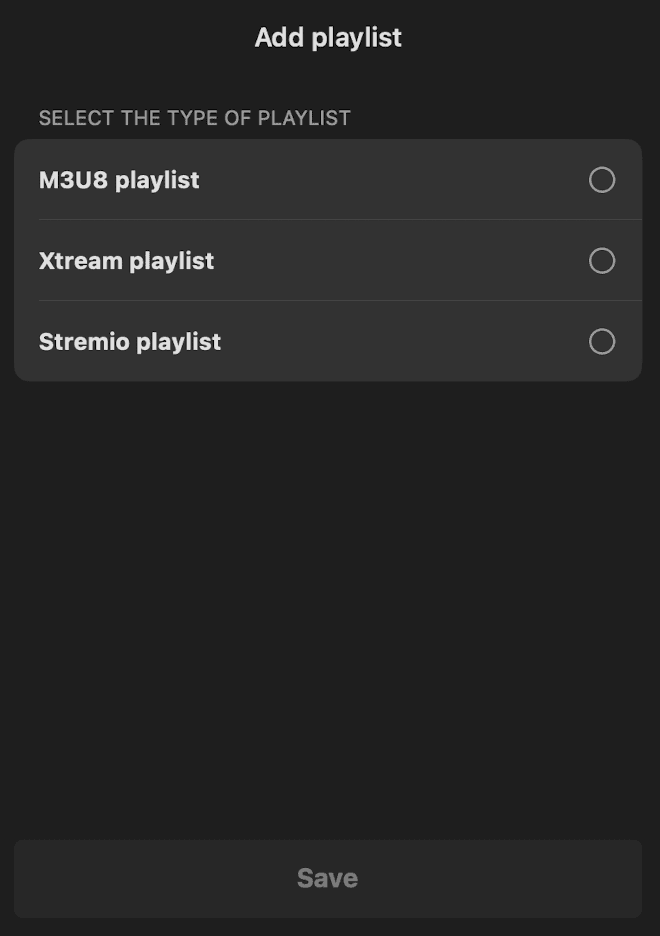
- Choose M3U URL to paste your M3U URL, or Xtream Codes API to enter your Username, Password and URL + PORT.
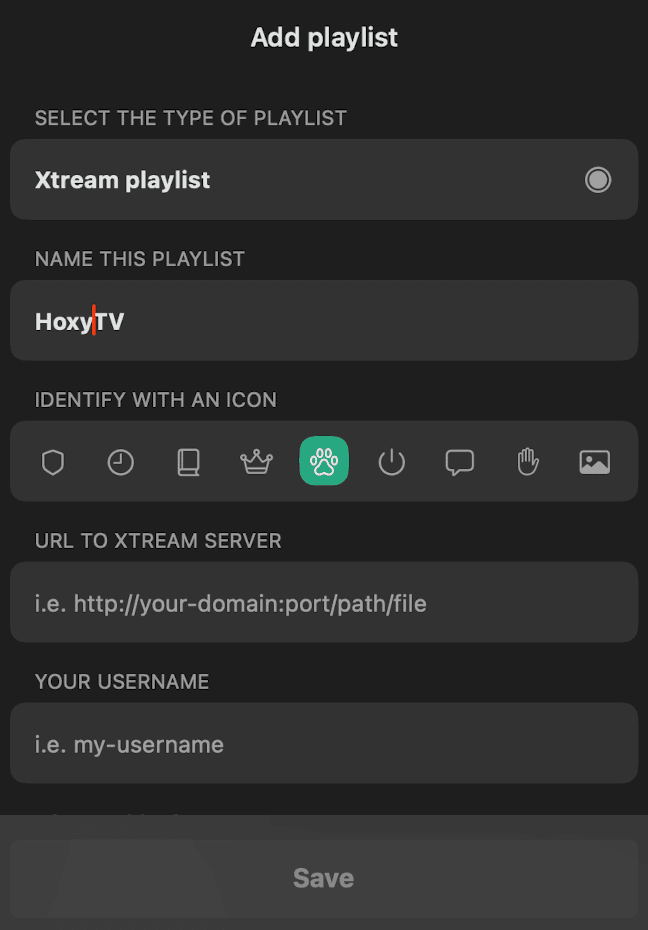
- Name the playlist ZynTV and type in your details.
- Tap Save and give the channels a moment to load.
Step 3: Adjust a few settings
- Open Settings inside the app.
- Turn on Hardware Decoding if the app has it.
- Set Connection Timeout to 10 seconds, and Video Quality to the level you prefer.
Questions about iPhone and iPad
Can I watch on Apple TV too?
Yes. UHF and IPTVX also have Apple TV apps: install one from the App Store on your Apple TV and add your playlist the same way.
Can I show ZynTV from my iPhone on my TV?
If the app shows the AirPlay icon while a channel plays, tap it and choose your Apple TV or AirPlay-compatible TV.
The app says my playlist is empty or will not load. What should I check?
Check that you pasted the whole M3U URL, with nothing cut off at either end, and that you used the MAC address (and for IBO Player Pro, the device key) your screen shows. Then restart the app. If it still will not load, contact support.
Ready to watch 30,000+ live channels?
Your login details arrive by email as soon as you pay, with 100,000+ films and series and 24/7 help with setup.