How to Set Up IPTV on Android Phones, Tablets and TV Boxes
Install Hot Player or IBO Player Pro on an Android phone, tablet or TV box, then add your ZynTV playlist on the player's website.
Updated
Quick answer: ZynTV on Android
Allow your Android device to install apps from your browser, then download Hot Player from hotplayer.app or IBO Player Pro from iboplayer.com and install it. Open the player and add your ZynTV M3U URL on its website: Hot Player asks for the MAC address it shows, IBO Player Pro for the MAC address and the device key.
Before you start
- An Android phone, tablet or TV box
- Your M3U URL, from your welcome email or your ZynTV dashboard
- A steady internet connection: 15 Mbps for HD, 25 Mbps for 4K
Apps for Android
| App | How to install it | How to add your playlist |
|---|---|---|
| Hot Player | Download from hotplayer.app | With the MAC address it shows, on hotplayer.app/upload |
| IBO Player Pro | Download from iboplayer.com/downloads | With the MAC address and device key it shows, on iboplayer.com/device/login |
Step by step
Step 1: Allow installs from your browser
- Open Settings and find Install unknown apps. It is usually under Apps > Special app access, or under Security; the names vary by brand.
- Choose the browser you will download with, for example Chrome, and turn on Allow from this source. On older Android versions, turn on Unknown sources under Security instead.
Step 2: Install Hot Player or IBO Player Pro
- Download Hot Player or IBO Player Pro from its website.
- Open the downloaded file (it ends in .apk) and select Install.
- On an Android TV box you can use the Downloader app instead, with the codes from the Fire TV guide: 395800 for Hot Player, 923441 for IBO Player Pro.
Step 3a: Add your playlist in Hot Player
- Open Hot Player on your device and note the MAC address it shows.
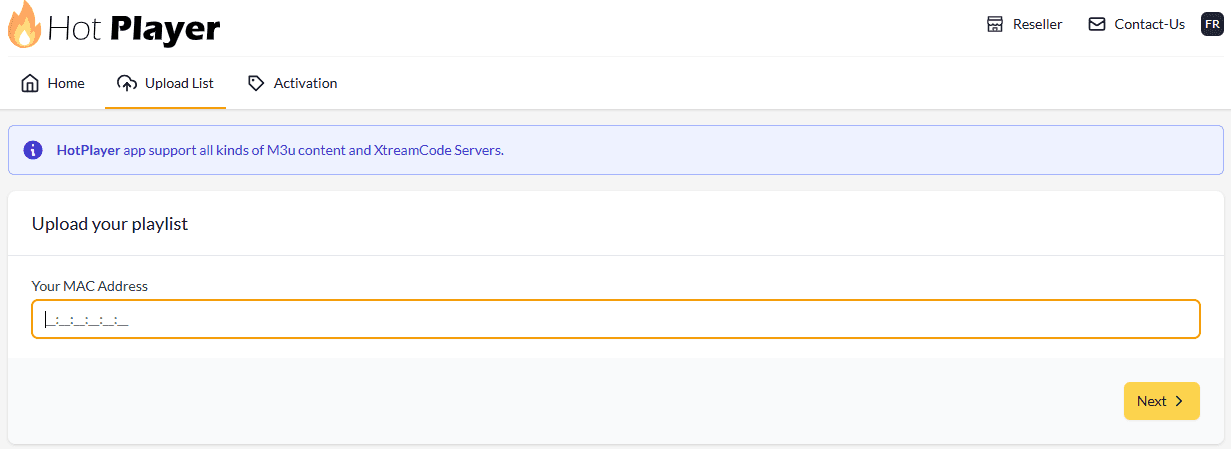
- On your phone or computer, go to hotplayer.app/upload, type that MAC address and select Next.
- Leave Source on Link and paste your M3U URL. To use Xtream Code instead, enter the Username, Password and URL + PORT from your welcome email.
- In Playlist name, type ZynTV.
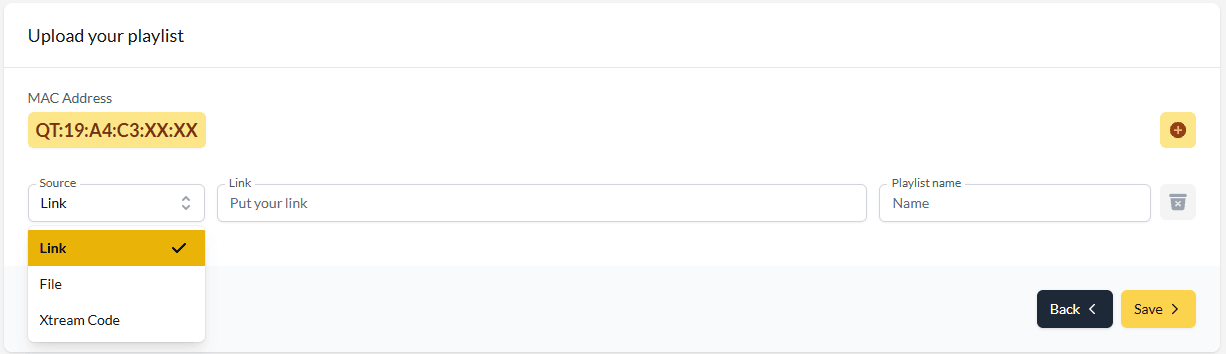
- Select Save, then restart Hot Player on your device.
Step 3b: Or add it in IBO Player Pro
- Open IBO Player Pro on your device and note the MAC address and the device key it shows.
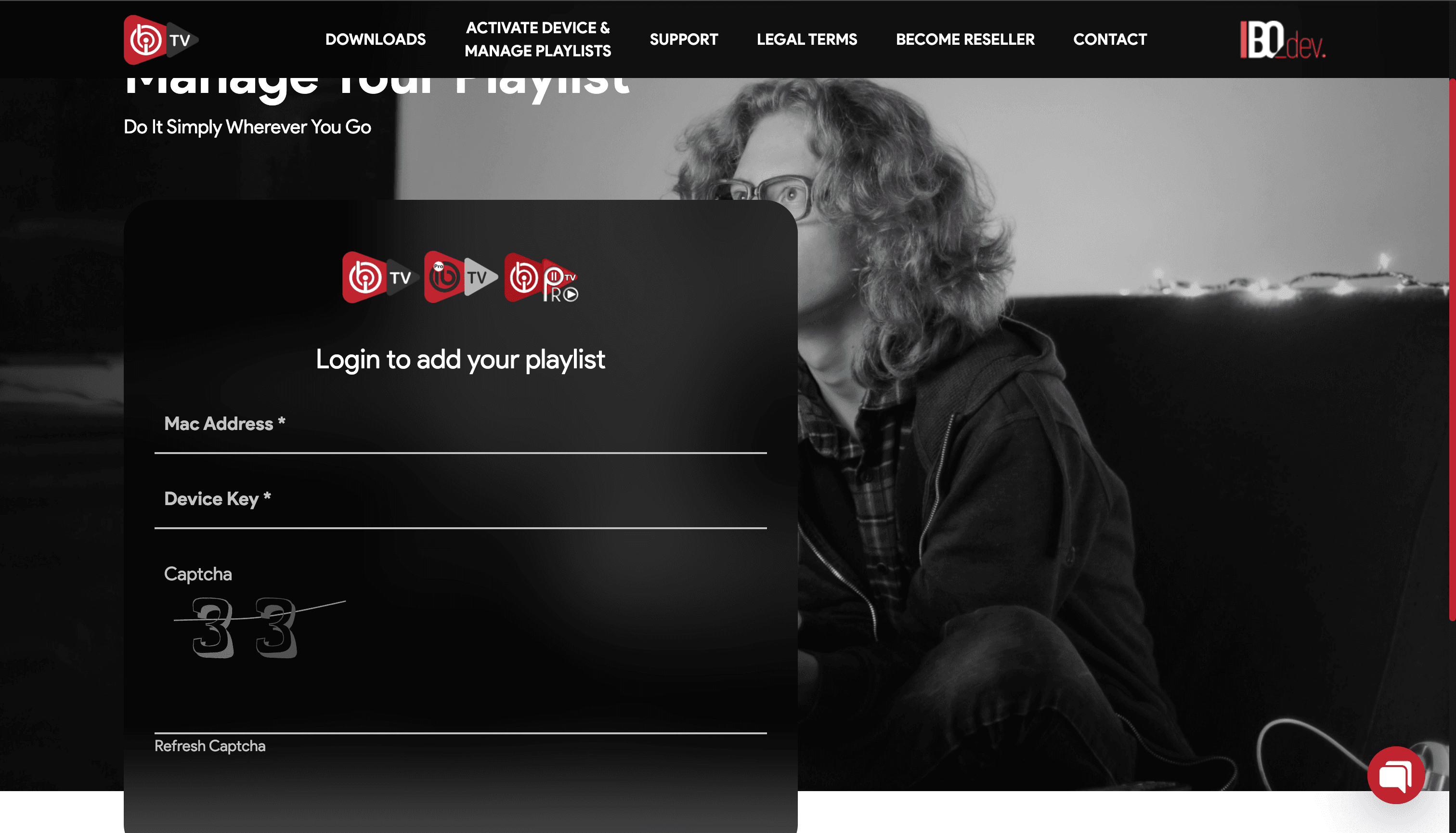
- On your phone or computer, go to iboplayer.com/device/login, log in with the MAC address and the device key, and fill in the captcha.
- Select Add playlist. In Playlist name, type ZynTV, and in Playlist URL, paste your M3U URL.
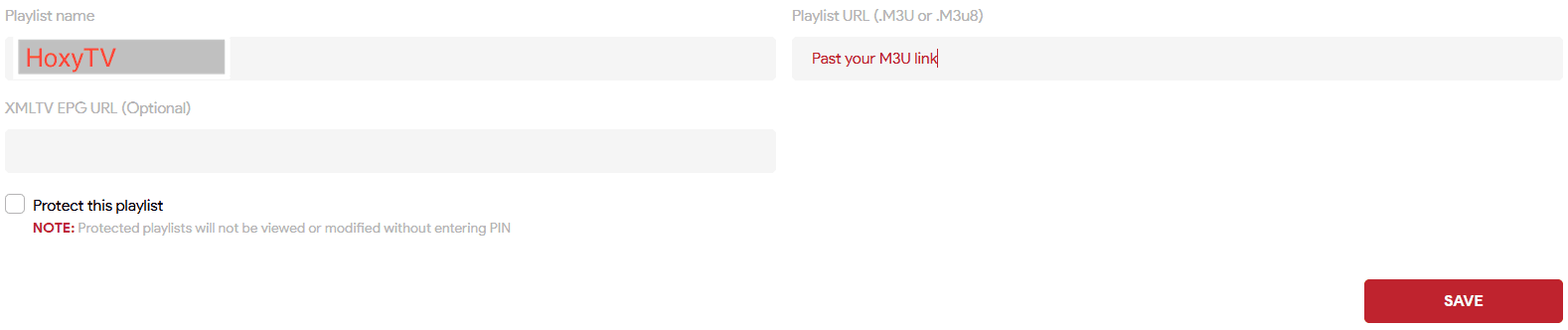
- Select Save, then restart IBO Player Pro on your device.
Step 4: A few tips
- Connect over Wi-Fi rather than mobile data for a steadier picture.
- Turn on hardware acceleration in the player settings if it has the option.
- If the app misbehaves, clear its cache in Settings > Apps.
Questions about Android
Android will not let me install the app. What should I change?
Allow installs for the app you downloaded with (Step 1), then open the .apk file again from your Downloads.
The app says my playlist is empty or will not load. What should I check?
Check that you pasted the whole M3U URL, with nothing cut off at either end, and that you used the MAC address (and for IBO Player Pro, the device key) your screen shows. Then restart the app. If it still will not load, contact support.
Can I use one subscription on my phone and my TV?
Yes, you can set it up on several devices. You can watch on as many of them at the same time as your plan has connections.
Ready to watch 30,000+ live channels?
Your login details arrive by email as soon as you pay, with 100,000+ films and series and 24/7 help with setup.